
Five practical takeaways
- Strong Wi-Fi inside each building does not prove that devices can roam reliably between them.
- The client normally decides whether and when to roam, although the network can influence that decision.
- One campus SSID does not guarantee continuity if authentication or mobility policies differ.
- Doorways, courtyards and walkways must be tested as real user journeys.
- Adding access points without redesigning the RF environment can leave the real fault untouched.
Summary
Students expect their connection to follow them from lecture rooms to libraries, cafés, accommodation and outdoor spaces. When it fails between buildings, the cause is rarely just weak signal.
Reliable roaming depends on controlled RF boundaries, consistent authentication and validation using real devices. In UK Netcom investigations, we separate coverage, client-roaming, authentication and network-path behaviour before recommending changes.
Why is campus roaming an operational issue?
Students and staff now use cloud platforms, voice and video while moving around estates that combine historic masonry, modern glazing and outdoor routes.
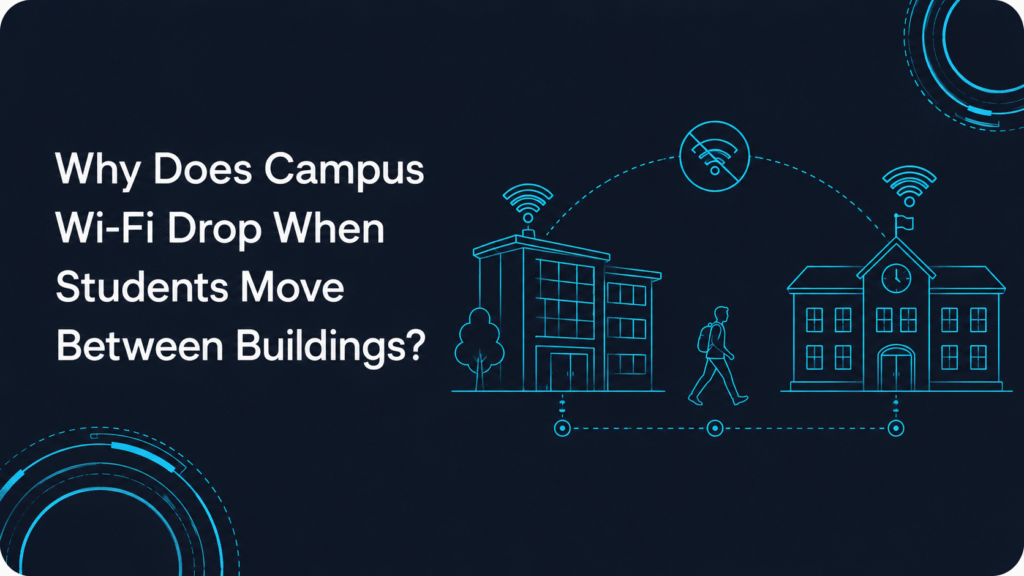
They can therefore have good Wi-Fi in two neighbouring buildings yet lose service between them. The missing evidence is what happens during the transition.
Why can every building have Wi-Fi while users still disconnect?
Coverage and roaming are related, but they are not the same engineering problem.
A device leaving one building may encounter three different conditions:
- The original access point becomes unusable before another suitable cell is available.
- A stronger access point is available, but the device delays leaving the weaker one.
- The device changes access point, but authentication, addressing or policy interrupts the application.
Users may describe all three as “the Wi-Fi dropping”. We distinguish between a coverage gap, delayed roaming and an authentication interruption. Each needs a different response.
Adding an access point may resolve a genuine gap, but poor placement or power settings can create unnecessary overlap. Neither action will resolve slow RADIUS authentication.
Who decides when a device should roam?
In most enterprise WLANs, the client makes the final decision. The infrastructure can suggest a transition or end an association, but the device normally decides when to leave and which candidate to select.
Chipset, operating system and driver influence that behaviour. Our UK Netcom approach is to use representative device classes where required, rather than treating roaming as an access-point property.
Why is one campus SSID not enough?
A shared SSID helps a device identify the network, but continuity can also depend on security configuration, mobility architecture, VLAN or subnet boundaries and authentication performance.
How do we diagnose a campus roaming failure?
We begin by reconstructing the failed journey and correlating the route with wireless, authentication, and application evidence.
- Identify the route, direction, application and device type.
- Establish whether the device disconnects or only loses application traffic.
- Review wireless, authentication and client-event logs.
- Walk the route with representative devices where appropriate.
- Correlate RF conditions with BSSID changes, packet loss and authentication events.
- Repeat the test after any controlled change.
“Wi-Fi drops between the lecture block and library” is a symptom. We must establish whether the client lost association, roamed slowly or stayed connected while packets stopped reaching the application.
Which measurements matter?
Signal strength is only one part of the evidence. Depending on the scope, we may examine signal-to-noise ratio, channel utilisation, retries, packet loss, BSSID transitions and authentication performance.
Strong signal bars can coexist with contention or an asymmetric link, so a stationary speed test may look healthy while a Teams call freezes during movement.
Why do campus buildings create inconsistent roaming?
Stone, reinforced concrete, metal-backed insulation, acoustic treatments and coated glazing can attenuate or alter radio propagation. The effect varies by frequency and construction.
Lecture theatres, libraries, laboratories and residence blocks also have different capacity requirements. Our guidance on maintaining consistent Wi-Fi performance across multiple sites explains why consistency means a repeatable service outcome rather than identical access point placement. UK Netcom designs around the environment instead of copying a standard layout.
Why can refurbishment break a reliable route?
New partitions, fire doors, acoustic panels and energy-efficiency upgrades can alter the RF environment. A space may also change from light administrative use to dense teaching.
Post-refurbishment validation should therefore be part of completion.
Why are entrances and outdoor routes common failure points?
A doorway is often an abrupt RF transition. An indoor access point may remain audible outside, while coated glazing elsewhere may reduce signal sharply. If the next cell appears too late, the client has no suitable candidate.
Outdoor design should follow movement rather than aim for blanket signal. We ask:
- Which routes do students and staff actually use?
- Where should the next viable cell become available?
- Is the overlap controlled rather than excessive?
- Can the required application tolerate the transition?
Wet foliage, temporary structures and changing user density can alter outdoor conditions. An outdoor access point may help, but antenna selection, power and indoor-cell containment must be considered first.
How should seamless roaming be engineered?
There is no universal overlap figure that suits every campus. The design depends on applications, client capabilities, movement, channel reuse, transmit power and attenuation.
Too little overlap can leave a gap. Too much can increase contention and present clients with unnecessary candidates.
Compatible devices can use 802.11k neighbour information, 802.11v transition management and 802.11r Fast BSS Transition to support roaming. Fast BSS Transition is now incorporated into the consolidated standard described by the IEEE 802.11 Working Group.
These mechanisms do not guarantee seamless movement, so configuration must be tested against the device estate.
When is the problem above the wireless layer?
A successful reassociation can still be followed by disruption if the mobility design does not preserve addressing, policy or traffic continuity.
We may need to examine VLAN and subnet design, forwarding, firewall policy or reauthentication. Crossing a boundary does not automatically cause failure, but poor design can expose it to the application.
What evidence separates diagnosis from guesswork?
| What the user experiences | What may be happening | What we test | Likely response |
| Dropout at a doorway | Cell-edge gap | Signal quality and neighbour visibility | Rework position, power or overlap |
| Wi-Fi remains connected but Teams freezes | Slow roam or authentication delay | BSSID timeline and authentication events | Tune roaming or authentication |
| Device holds the previous building | Oversized cell or delayed roaming | Client events and candidate quality | Refine cell size |
| Older laptops fail but newer phones work | Different client behaviour | Representative device testing | Adjust feature policy |
| One transition always fails | Addressing or mobility inconsistency | Network boundary and infrastructure logs | Standardise the boundary |
A heatmap becomes useful when correlated with client, authentication and application evidence, showing where the experience failed and why.
Why do campus-wide design standards matter?
Students experience one network even when the estate has been delivered through several projects.
A campus standard should define:
- SSID and authentication architecture.
- RF criteria for different spaces.
- Channel, power and band policy.
- Mounting and antenna requirements.
- Acceptance tests and revalidation triggers.
Centralised templates can reduce configuration drift, but they do not replace site-specific RF design.
Ongoing technical support and network maintenance should control changes so that a validated design is not gradually undermined. UK Netcom can support continuity through installation, configuration and operation.
How do we prove roaming works after installation?
Predictive designs and heatmaps are important, but roaming is a sequence over time. Validation should record the selected access point, transition time and application continuity.
A robust exercise should test priority routes in both directions with representative devices and applications. Our guide to professional Wi-Fi surveys before enterprise deployment explains why predictive work and on-site measurement are complementary.
A useful report should record tested routes, failure points, remediation and retest results, giving the university a baseline for later changes.
When is optimisation enough?
Optimisation may resolve excessive transmit power, poor channel reuse, unsuitable channel widths, configuration drift or avoidable authentication delay.
Redesign is more likely when access points were positioned for cabling convenience, transitional spaces were omitted, antennas are unsuitable or the mobility architecture cannot preserve continuity.
Our recommendation follows the evidence. UK Netcom establishes the failure mechanism before advising whether tuning, repositioning, targeted remediation or wider redesign is justified.
Conclusion
Enterprise access points support roaming, but they do not guarantee continuity without coordinated RF and network design.
A dependable campus network follows real routes and is verified through transition testing across the client, RF boundary, authentication process and network path.
When a university sees recurring dropouts, we first establish where continuity breaks.
Institutions reviewing a difficult route, refurbishment or campus-wide wireless standard can speak with our Wi-Fi design team about a campus assessment before committing to disruptive changes or unnecessary equipment.
FAQs
Does eduroam cause students to disconnect between access points?
Usually not by itself. eduroam provides federated authentication, while local RF design, infrastructure configuration, authentication performance and client behaviour shape the on-campus experience.
Can a controller force every device to roam?
Not in the normal sense. Infrastructure can provide information, suggest transitions or disconnect a client, but devices retain significant control over when and where they roam.
Should a university disable 2.4 GHz to improve roaming?
Not automatically. Some older, specialist and low-power devices may still rely on it. The decision should follow an assessment of the device estate and RF conditions.
Should accessible campus routes be tested separately?
Yes. Ramps, lifts, alternative entrances and covered routes may pass through different RF conditions and should be included in roaming validation.