
5 takeaways
- Strong WiFi signal does not always mean strong network performance.
- Access points depend on reliable switching, cabling, PoE and uplinks.
- Real-time services such as Teams calls can expose latency, jitter, packet loss or bandwidth issues beyond the wireless layer.
- Proper diagnosis should test the RF environment and the wired infrastructure together.
- Long-term improvement comes from aligning wireless, switching and backhaul design, not simply adding more access points.
Summary
When people say “the WiFi is poor”, they usually mean the business application feels unreliable. That may be a slow Teams call, a warehouse scanner dropping sessions, a payment terminal timing out or a laptop showing full signal while cloud systems crawl.
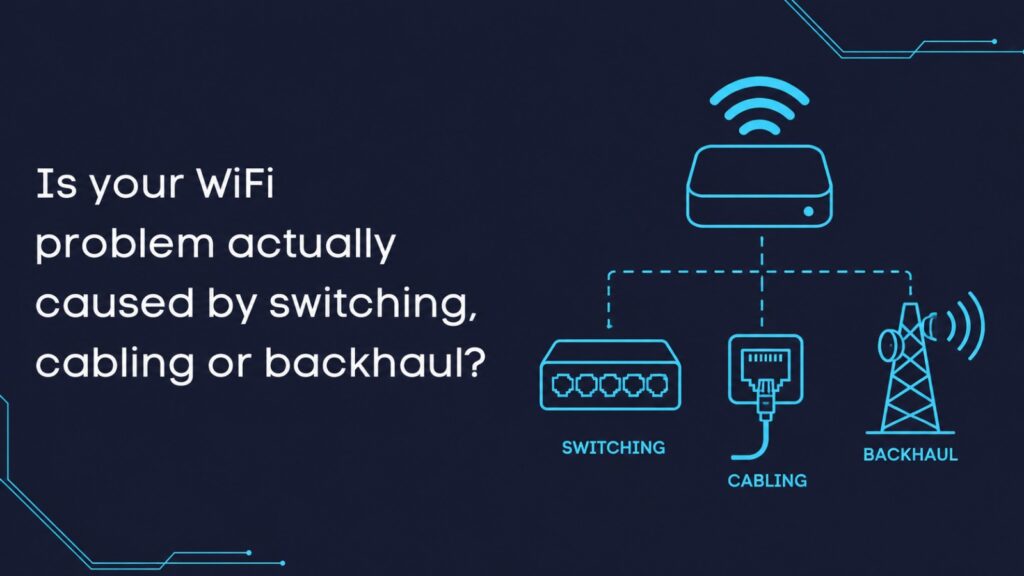
The difficult part is that those symptoms are not always caused by WiFi itself. The access point may be doing its job, but the switch port behind it may be underpowered, the uplink may be congested, the VLAN may be misconfigured, the cable may be faulty or the backhaul between buildings may be struggling.
Our view is straightforward: diagnose the whole path before spending money. WiFi is the part users notice, but the root cause often sits deeper in the network.
Introduction
Many UK organisations now depend on WiFi for operational services as well as general internet access. It supports voice, video meetings, handheld scanners, guest networks, EPOS, care systems, security devices, cloud applications and day-to-day office work.
That makes WiFi a common target when something feels slow or unreliable. It is visible, easy to blame and usually the last connection between the user and the application. But enterprise connectivity is not a single layer. Wireless performance depends on radio design, switching, structured cabling, power delivery, VLANs, authentication, firewall policies, WAN capacity and sometimes fixed wireless or fibre backhaul.
This matters because the wrong diagnosis leads to the wrong spend. Replacing access points will not fix an overloaded switch stack. Installing more wireless coverage will not repair a damaged cable. Upgrading to WiFi 7 will not remove congestion from an undersized or overloaded upstream link.
For a wider diagnosis-first view, we have already explained why UK organisations should diagnose WiFi issues before investing in new hardware. This article focuses on the next question: what if the WiFi is only showing you a fault that starts somewhere else?
What does “bad WiFi” usually mean in a real business?
A user rarely reports a network fault in technical terms. They will say:
- “The WiFi keeps dropping.”
- “Teams is unusable in that meeting room.”
- “The scanners lose connection in aisle seven.”
- “The guest network connects but nothing loads.”
- “The signal is full, but everything is slow.”
Each complaint is useful, but none of them proves the fault is wireless. A laptop can show a strong wireless connection while packets are queuing on an uplink. A scanner can roam correctly between access points but fail because of DHCP or application timeout behaviour. A guest device can associate with the SSID while a firewall rule blocks the onward route.
When we review these issues for UK Netcom customers, we look at the user experience first, then trace the path backwards. The device, SSID, AP, switch port, VLAN, routing, firewall, internet circuit and application all have to be considered.
Why does WiFi get blamed before switching, cabling or backhaul?
WiFi gets blamed because it is the most visible part of the network. Users see a wireless icon on their device. They do not see PoE budgets, switch logs, cable certification results, uplink graphs or VLAN tagging.
That is especially true in mixed UK environments such as:
- Warehouses with metal racking and handheld scanners
- Schools with dense classrooms and older buildings
- Offices using Teams Rooms and cloud voice
- Hotels and hospitality venues with guest access
- Care settings where devices move constantly
- Multi-building sites using fibre or wireless backhaul
In these places, the wireless network is only one part of a wider system. If any upstream component is weak, the user may still experience it as “bad WiFi”.
Can strong signal still deliver poor performance?
Yes. Signal strength tells you that the client can hear the access point. It does not prove the end-to-end network is healthy.
A device may show strong signal while suffering from:
- Airtime congestion
- High retry rates
- Interference
- Poor roaming behaviour
- Underpowered access points
- Switch port errors
- Saturated uplinks
- Misconfigured VLANs
- Slow DNS or DHCP response
- Congested internet breakout
That is why a WiFi survey should not be treated as a simple coverage map. Ekahau-based validation is valuable because it helps assess coverage, capacity, interference, network health and post-deployment performance. But once the RF layer is understood, the wired side still needs attention.
That is why UK Netcom separates what the air is doing from what the infrastructure is doing.
That distinction often prevents unnecessary replacement projects.
How can PoE and switching make WiFi look unreliable?
Modern enterprise access points are not passive devices. They need suitable power and suitable switching.
Power over Ethernet allows access points to receive power and data through the network cable. That is convenient, but it also creates a dependency. If the switch cannot supply the required PoE level, an AP may fail to power correctly, operate below intended capability, or lose features depending on the AP model and switch configuration.
For technical context, Ethernet and related wired network standards are developed through the IEEE 802.3 Ethernet standards group. For business decision-makers, the practical point is simpler: the access point is limited by the power, speed and reliability of the switch port and cabling feeding it.
Switching can also become the hidden bottleneck. A business might install newer APs but leave them connected to old access switches with limited uplink capacity. In a small office, that may be tolerable. In a warehouse, school or multi-floor workplace, it can quickly show up as poor application performance.
Common switching issues include:
- insufficient PoE budget
- old 1Gbps uplinks serving high-density areas
- switch port errors
- poor QoS handling for voice and video
- inconsistent firmware
- overloaded switch stacks
- unclear VLAN design
If the switching layer is weak, adding more access points can make the situation worse by increasing traffic on an already constrained network.
Can cabling pass unnoticed but still cause real faults?
Yes, and this is one of the most overlooked causes of poor wireless experience.
A cable does not need to fail completely to create problems. Poor termination, damaged patch leads, ageing cabling, crushed cable runs, moisture ingress, poor cabinet patching or intermittent faults can create errors that are difficult for users to describe.
The problem may only appear under load. A meeting room AP might seem fine during a basic test, then struggle when ten people join video calls. A warehouse AP may behave during quiet periods, then fail when scanners, printers and operational devices are active.
Cabling should be checked with the same discipline as the wireless design. That means looking at cable category, run length, patch panels, terminations, link negotiation, error counters and any history of intermittent faults.
Could VLANs, DHCP or authentication be mistaken for WiFi failure?
Very easily.
In enterprise environments, connecting to WiFi is only the first stage. After association, the device may still need authentication, VLAN assignment, DHCP addressing, DNS resolution and firewall permission before it can reach the application.
A user may say, “the WiFi connected but nothing works.” That could point to a wireless issue, but it could also be:
- DHCP scope exhaustion
- RADIUS delay
- Wrong VLAN tagging
- DNS failure
- Captive portal problems
- Firewall policy mismatch
- Routing issues between segmented networks
This is common where businesses run separate networks for staff, guests, scanners, CCTV, building systems or payment devices. Segmentation is important for security and control, but it has to be designed and supported properly.
How do you prove where the bottleneck sits?
The best diagnosis tests the whole journey, not just one layer.
A practical process looks like this:
- Confirm the user symptom, location, time and affected devices.
- Validate wireless coverage, interference, channel use and roaming.
- Check AP power draw, PoE allocation and switch port status.
- Review uplink utilisation and switch capacity.
- Test cabling where symptoms point to physical faults.
- Review VLANs, DHCP, DNS, authentication and firewall behaviour.
- Test real applications, not just internet speed.
- Confirm the result after any change.
This is where professional judgement matters. A speed test may show something is wrong, but it rarely explains why. A heatmap may show the RF layer is healthy, but it will not prove the firewall or backhaul is performing properly. Switch counters may reveal errors, but they need to be interpreted in context.
For collaboration-heavy sites, this becomes even more important. We have covered the application angle separately in our guidance on how to design WiFi for real-time applications like Teams and VoIP, because voice and video often expose latency, jitter, packet loss and congestion more clearly than ordinary browsing.
Where does this show up most often in UK organisations?
Warehouses are a classic example. Metal racking, stock movement, long aisles and handheld scanners create real RF challenges. But not every scanner dropout is caused by wireless coverage. The issue may be a switch in a remote cabinet, a long cable run, a VLAN path to the warehouse system or a backhaul link to another building.
Schools and campuses face a different version of the problem. A classroom may have good WiFi coverage, but dense device use, old cabling, remote blocks and shared internet breakout can affect the experience. Multi-building estates need particular care because the fault may sit between buildings rather than inside the room where the user complains.
Offices tend to notice the issue through Teams, VoIP and cloud platforms. A meeting room with strong signal can still suffer from jitter, packet loss or uplink congestion. From the user’s perspective, the WiFi failed. From a network perspective, the wireless may only be the final visible link in a longer chain.
In UK Netcom projects, we often see this pattern when a site has grown gradually. A cabinet gets extended, a new area is added, more devices arrive, cloud systems become business-critical, and the network that once coped well starts showing pressure in places nobody expected.
How can you separate the likely cause?
| User symptom | Possible WiFi cause | Possible wired or backhaul cause | Best first check |
| Strong signal but slow apps | Interference or airtime congestion | Saturated uplink or firewall bottleneck | Compare RF data with uplink use |
| APs reboot or disappear | AP firmware or hardware fault | PoE budget or switch power issue | Check PoE logs and switch allocation |
| Device connects but apps fail | SSID or roaming issue | VLAN, DHCP, DNS or firewall issue | Test the client path after connection |
| Poor performance in one area | Coverage gap or poor AP placement | Damaged cable or bad switch port | Survey RF and inspect physical link |
| Multi-building dropouts | Roaming or channel design issue | Backhaul instability or capacity limit | Test local WiFi and inter-site link separately |
This sort of comparison helps leadership teams make better decisions. It turns a vague complaint into a structured investigation.
What should you do once the root cause is confirmed?
The fix should match the evidence.
If the fault is wireless, the answer may be AP repositioning, channel planning, power adjustment, roaming optimisation, capacity redesign or a refreshed survey.
If the fault is wired, the answer may be switch replacement, PoE upgrade, uplink improvement, cabling remediation or VLAN correction.
If the fault is backhaul, the answer may be fibre improvement, fixed wireless redesign, better resilience, WAN review or application path optimisation.
This is where our role is to be careful, not dramatic. The right recommendation is not always the biggest upgrade. Sometimes the most valuable work is proving that the wireless is healthy and the actual limitation sits elsewhere.
Where organisations need help interpreting recurring faults, our technical support and network maintenance services can help connect wireless symptoms with wider infrastructure evidence.
Where does Cambium fit into the long-term path?
Cambium may be appropriate where the evidence shows a need for managed wireless, switching or fixed wireless infrastructure.
That does not mean every issue needs a new platform. It means that once the root cause is understood, the long-term design should bring the relevant layers together. For some UK sites, that may mean centrally managed wireless and switching. For others, especially rural, campus or multi-building environments, fixed wireless backhaul may be part of the practical solution.
WiFi 6E and WiFi 7 planning should consider more than headline wireless capability, including switching, PoE, uplinks and spectrum availability. The supporting infrastructure must be ready too. PoE budgets, switch capacity, multi-gigabit uplinks, cabling quality and monitoring all need to be considered. UK spectrum planning is also evolving, and Ofcom’s work on the future use of the 6 GHz band for WiFi and mobile services is useful background when organisations are thinking about longer-term capacity.
For us at UK Netcom, the value is not in choosing a platform first and forcing the design around it. The value is in confirming what the site actually needs, then matching the wireless, switching and backhaul design to that evidence.
Conclusion
A poor WiFi experience is not always a WiFi fault. It may be the first visible symptom of a switching, cabling, VLAN, PoE, WAN or backhaul problem.
The most reliable approach is to diagnose before replacing. Measure the wireless environment, inspect the wired infrastructure, test the application path and then decide what actually needs to change. That protects budgets, reduces repeat faults and gives decision-makers confidence that investment is solving the real problem.
Reliable enterprise connectivity comes from treating WiFi, switching, cabling and backhaul as one working system. If the symptoms are clear but the cause is still uncertain, you can contact our UK Netcom team to discuss a practical review of your wireless environment and the supporting network infrastructure.
FAQs
Can a cable fault really make WiFi look unreliable?
Yes. If an access point is connected through a poor cable, damaged patch lead or unstable switch port, users may experience slow speeds, dropouts or inconsistent performance even when the wireless signal looks strong.
Does every WiFi 6E or WiFi 7 upgrade need new switches?
No. It depends on the access point power requirement, uplink capacity, client density and application demand. Some organisations can phase upgrades, while others need switching and PoE reviewed before deployment.
Should access points and switches always be from the same vendor?
Not always. The more important point is that the design is supportable, visible and compatible. Vendor alignment can help with management and troubleshooting, but evidence-led design matters more than brand consistency alone.
Can fixed wireless backhaul help multi-building sites?
Yes, where it is properly designed. Fixed wireless can be useful when fibre is impractical, costly or slow to install, but it still needs line-of-sight checks, capacity planning, resilience review and ongoing monitoring.
How often should PoE and uplink capacity be reviewed?
Review them before major WiFi upgrades, office changes, warehouse reconfiguration, new device rollouts, cloud migration or recurring performance complaints. Capacity that worked three years ago may not match how the business operates now.