
Five practical takeaways
- A fast internet circuit into a building does not guarantee the same performance on a resident’s device.
- Wi-Fi is a separate, shared wireless part of the network that can become constrained even when plenty of internet capacity remains available.
- Walls, room layout, access-point placement, interference and client density all influence what residents actually experience.
- A speed test on a phone measures the complete end-to-end connection, so a poor result does not tell you whether the bottleneck is Wi-Fi, the LAN, gateway or internet circuit.
- Establishing where the constraint actually sits can prevent an accommodation operator investing in additional broadband capacity that does not fix the complaint.
Summary
A fast broadband or internet circuit and slow Wi-Fi in student rooms are not contradictory. They describe two different parts of the connection.
We hear this regularly in our UK Netcom work with wireless networks. The service entering the building may be performing exactly as expected, while the Wi-Fi inside particular bedrooms, floors or shared spaces is struggling because of coverage, contention, interference or the way the network has been designed.
Our guide to when poor Wi-Fi is actually a network design problem rather than a hardware problem explains how we separate those causes before recommending a change.
Introduction
“If the broadband is fast, why is the Wi-Fi slow?”
It is an understandable question, and one we regularly encounter when an accommodation team first starts investigating resident complaints.
The problem is that broadband and Wi-Fi are often talked about as though they are the same thing. They are not.
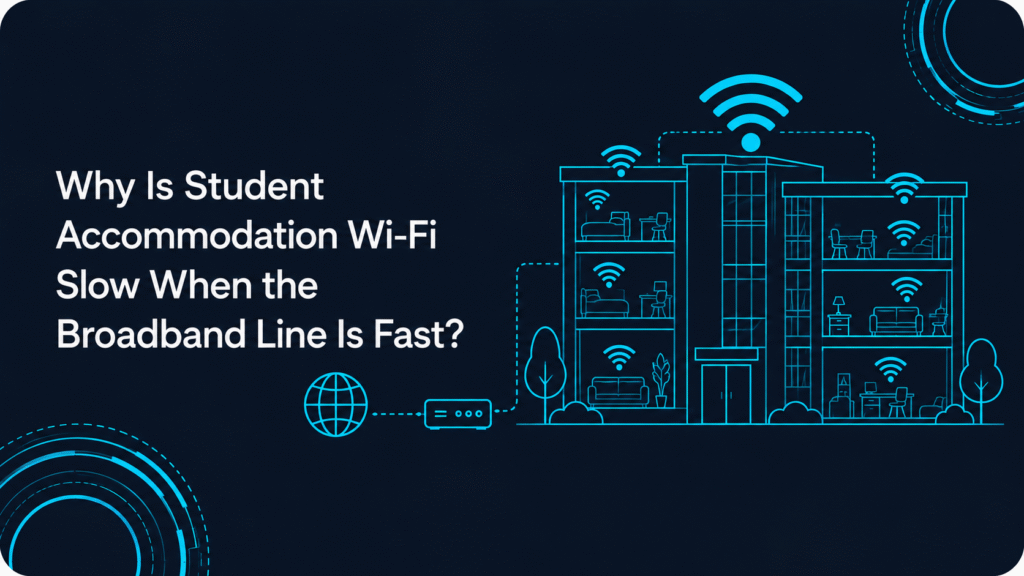
In a typical managed student accommodation network, traffic may travel through the internet circuit, gateway or firewall, switching infrastructure and access points before it finally reaches a student’s laptop or phone.
Each part of that path can affect the experience.
That is why our UK Netcom approach starts by finding out where performance changes, rather than assuming that a complaint described as “slow internet” must mean the building needs a faster connection.
What does “fast broadband” actually tell us?
Broadband speed tells us about the service available at the internet side of the network. It does not automatically tell us what an individual resident will receive over Wi-Fi inside their bedroom.
Ofcom makes a similar distinction in its guidance on broadband and Wi-Fi problems, noting that slow Wi-Fi does not necessarily mean there is a fault with the underlying broadband service. Distance, walls, interference and the device itself can all affect wireless performance.
That guidance is written primarily for home broadband users, so a purpose-built student accommodation network will usually be more complex than a domestic router in a house.
The principle still matters.
A fast service arriving at the building proves that capacity is available at one point in the network. It does not prove that every wireless client can use that capacity efficiently.
So what happens between the internet circuit and a resident’s device?
In a managed accommodation environment, the journey may look something like this:
Internet circuit → gateway/firewall → switching → access point → Wi-Fi client
If the internet circuit is healthy but the wireless link is struggling, simply increasing the circuit speed will not correct the wireless problem.
There are several reasons this can happen.
How do walls, distance and building layout affect Wi-Fi?
Radio signals do not travel through every building in the same way.
Walls, floors, doors and other construction materials attenuate Wi-Fi signals. Distance from an access point matters too, but physical layout can make two bedrooms that look close together on a floor plan behave very differently from an RF point of view.
This is particularly relevant in student accommodation because designs can include repeated bedrooms, corridors, bathrooms, communal spaces, stairwells and multiple floors.
A resident at one end of a floor may therefore have a very different experience from somebody using the same service only a few rooms away.
In our UK Netcom survey work, that kind of location-specific pattern is useful evidence. If complaints repeatedly follow certain rooms or sections of a building, we would investigate the local wireless environment before assuming that the shared internet circuit is too small.
What happens when lots of residents use Wi-Fi at once?
Wi-Fi is a shared radio medium.
Under the IEEE 802.11-2024 wireless LAN standard, wireless clients and access points use a shared medium-access system. In practical terms, devices operating within the same contention domain have to share the available airtime.
That means client density matters.
During a busy period, residents may be streaming, gaming, joining video calls, downloading files or updating devices. Increased activity can place pressure on the wireless network.
But there is an important distinction here: busy periods can also increase demand on the internet circuit itself.
So if Wi-Fi becomes noticeably slower in the evening, we would not automatically label it a wireless-capacity problem. We would compare airtime and RF behaviour with WAN utilisation to see which part is actually constrained.
Can interference make a fast connection feel slow?
Yes. Neighbouring Wi-Fi networks and other equipment operating in the same frequency bands can increase interference or contention.
Within the property itself, poor channel reuse or overlapping cells can also reduce usable airtime.
This is why simply adding another access point is not always the answer. More radios can be useful where additional capacity is genuinely required, but only if channel planning, transmit power and cell design are considered at the same time.
Why doesn’t a speed test on a phone settle the question?
Because the test measures the whole journey.
If you run a speed test from a resident’s phone, the result reflects the Wi-Fi connection, local network, gateway, internet circuit and conditions beyond the property at that moment.
A poor result tells you there is a performance problem somewhere along that path. It does not tell you where.
A wired test is useful because it can remove the wireless hop from the comparison, but even that is only one part of a proper diagnosis.
For example, imagine the building has a healthy internet circuit and a wired test performs well at the gateway. If bedroom tests remain poor only in particular locations, that pushes the investigation back towards the WLAN.
If wired and wireless performance both deteriorate at the same time while WAN utilisation is high, the internet service deserves closer attention.
How can an accommodation operator tell which problem it has?
The symptom is useful, but we would avoid treating any one symptom as proof.
| What residents are seeing | What we would investigate first | What should not be assumed |
| Poor performance in particular rooms | RF conditions, AP association, retries and local infrastructure | That the broadband circuit is too slow |
| Performance drops during busy evenings | WLAN airtime and WAN utilisation | That congestion must be Wi-Fi |
| Strong signal but video calls still break up | Retries, packet loss, latency, interference and application path | That stronger signal or more broadband will automatically fix it |
| One floor performs worse than another | AP placement, RF design, switching and cabling for that area | That the whole building needs an internet upgrade |
| Wired and wireless users slow down together | Gateway performance and WAN utilisation | That the wireless layer is the only problem |
The important phrase here is investigate first.
Good Wi-Fi troubleshooting is about narrowing down the fault from evidence rather than matching one complaint to one assumed fix.
What would we measure before recommending a change?
This is where a proper Wi-Fi assessment starts to separate the symptoms from the actual cause.
When we assess this type of problem through UK Netcom, we want to understand both the wireless environment and the network behind it.
Depending on the issue, that can include:
- Signal quality and SNR – not simply whether a device shows several Wi-Fi bars.
- Retry behaviour – because repeated transmissions consume airtime and can indicate RF quality problems.
- Channel utilisation – to understand how busy the radio environment becomes under real use.
- Client association – which access point a device is actually using, not just which one appears closest.
- AP and switch uplinks – to confirm traffic is not being constrained immediately behind the wireless layer.
- Gateway performance – because firewall or gateway behaviour can affect the end-to-end experience.
- WAN utilisation – to establish whether the internet circuit itself is approaching its available capacity.
- Location and timing – because recurring complaints in the same rooms or at the same times often reveal patterns that a single speed test misses.
This is why we prefer to measure first and change second.
A faster circuit may be exactly what the property needs. Equally, the right response may be RF optimisation, access-point repositioning, channel changes, additional capacity in a particular part of the building or work on the supporting wired network.
The evidence should decide.
Our guide to diagnosing Wi-Fi issues before investing in new hardware goes further into the measurements we use to separate configuration, RF, infrastructure and upstream problems.
Why does this distinction matter for student accommodation operators?
Increasing internet capacity can appear to be the obvious response because residents describe the problem as “slow internet”.
But if the real issue is happening between the access point and the client, the original complaint can remain after the upgrade.
That creates two problems: money has been spent in the wrong place, and residents still experience the same service issue.
For us, repeat complaints are much easier to investigate when the problem is recorded by location, time and device and then matched against network evidence.
It also matters after changes have been made. Wireless environments do not stand still.
Occupancy patterns change, devices change and configurations evolve. Where an operator needs help investigating recurring issues, our technical support and ongoing network maintenance can support the network beyond the original design or optimisation work.
Conclusion
A fast internet circuit and slow Wi-Fi in a student bedroom are not a contradiction.
They are different parts of the same connection path, and each needs to be measured separately.
If complaints follow certain rooms or floors, we would look carefully at the wireless design and local infrastructure. If wired and wireless users both slow down while WAN utilisation is high, additional internet capacity becomes a more credible explanation. In some properties, both can be constrained at the same time.
For us, the important thing is not to start with the product or upgrade. It is to establish where performance is being lost and then make the change that addresses that part of the network.
If your accommodation team is dealing with recurring slow-Wi-Fi complaints, you can speak with us about assessing the Wi-Fi and network path before deciding whether more broadband capacity is actually required.
FAQs
If our broadband speed test looks good, does that rule out a broadband problem?
Not entirely. A good wired result is useful evidence that the internet service may not be the main constraint at that moment, but performance can vary with time and load. It should be considered alongside WAN utilisation and the symptoms residents are reporting.
Would upgrading to a faster broadband package ever help?
Yes. If WAN utilisation shows that the internet circuit is genuinely reaching its available capacity during busy periods, additional capacity may be appropriate. It will not, however, correct a coverage problem, RF contention, poor access-point placement or interference.
Why does Wi-Fi get worse in the evening if the broadband line has not changed?
More residents may become active at the same time, which can increase both wireless contention and demand on the internet circuit. The pattern alone does not prove which is responsible; measurements are needed to identify the actual bottleneck.
Is the problem likely to be the same in every accommodation block?
No. Construction, room layout, resident density, client devices, access-point placement and the supporting network all vary. Two buildings with the same internet capacity can therefore deliver very different Wi-Fi experiences.
Can strong Wi-Fi signal still hide a network problem?
Yes. Signal strength is only one measurement. A device can show strong coverage while experiencing high retries, interference, airtime contention, packet loss or an upstream network problem. That is why we look beyond signal bars when investigating resident complaints.